
Short answer
Sufflera has five ready-made roles: Owner, Admin, Manager, Chatter and Accountant. A Chatter sees only the creators assigned to them, in the dashboard and in the extension. Each fan's card carries the history, notes and follow-ups from one shift to the next, and every draft records who generated it.
Which role does each person need?
Everyone on the team signs in with their own email and gets one role. The role decides what they can open. The server checks it on every request, in the extension as much as in the dashboard.
| Role | Who it is for | Creators | What they cannot do |
|---|---|---|---|
| Owner | The person who owns the business | All | Nothing; the only role that can delete the account |
| Admin | Operations lead | All | Delete the account |
| Manager | Team lead, creator manager | All | Billing, team management |
| Chatter | Frontline chatting | Assigned only | Delete anything, edit personas, billing, analytics |
| Accountant | Finance | All, for billing and numbers | Conversations, fans, creator settings |
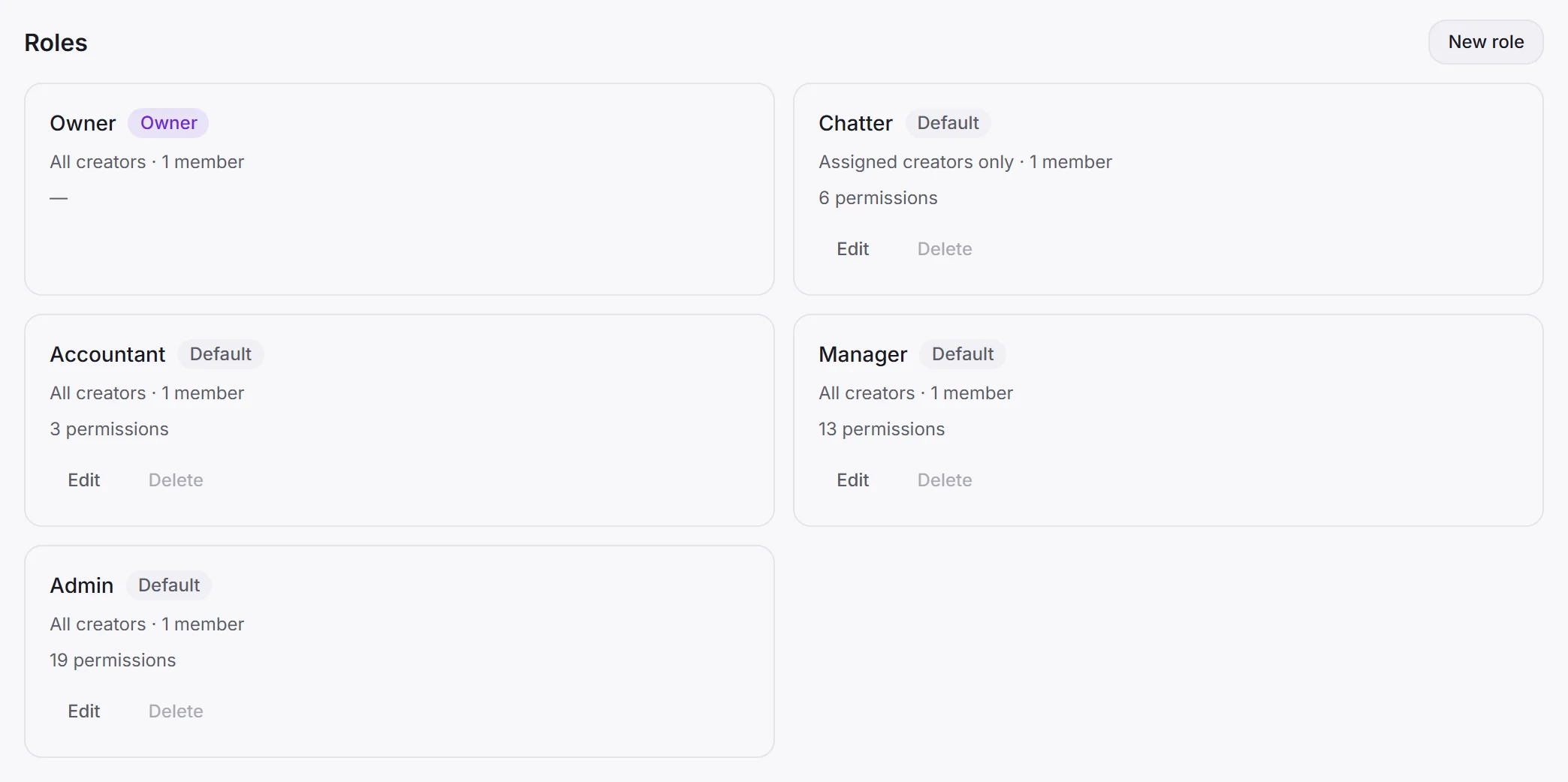
Every role except Owner can be edited, and you can make your own. A common one is a senior chatter who can also see analytics: press New role, tick what a chatter has plus analytics.view, and name it.
How do you limit a chatter to their creators?
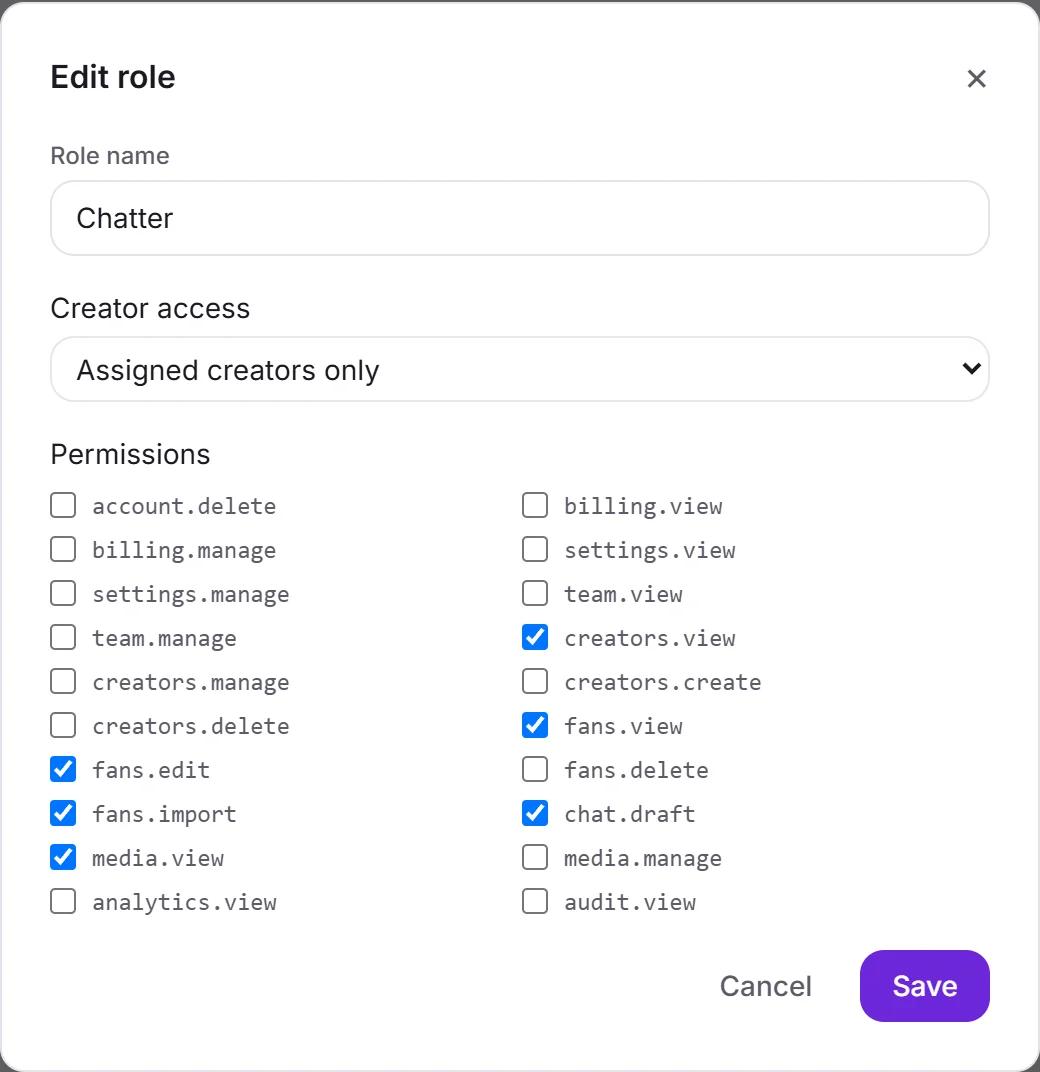
Through the role’s Creator access. The Chatter role is set to Assigned creators only: until you assign creators to a chatter, they see none.
Once assigned, they see those creators and their fans, and nothing else. Nothing in the dashboard or the extension shows them a third creator.
Keep chatters on assigned access even if today they work every creator. When you add a new creator later, nobody sees it until you decide who should.
How to set it up
- Invite them. In Settings → Team, press Invite teammate, enter their email and choose a role. They get an email, set their own password, and show as Invited until they do.
- Assign their creators. For a chatter, press the assigned count on their row and tick the creators they work with.
- Have them install the extension. They sign in to the side panel with the same email and password, and see only their creators there too. What the extension can and cannot see.
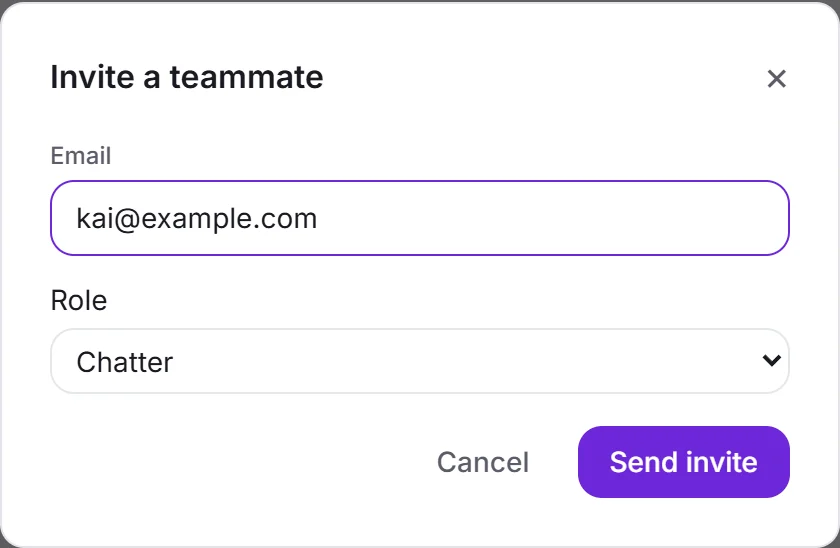 1. Invite
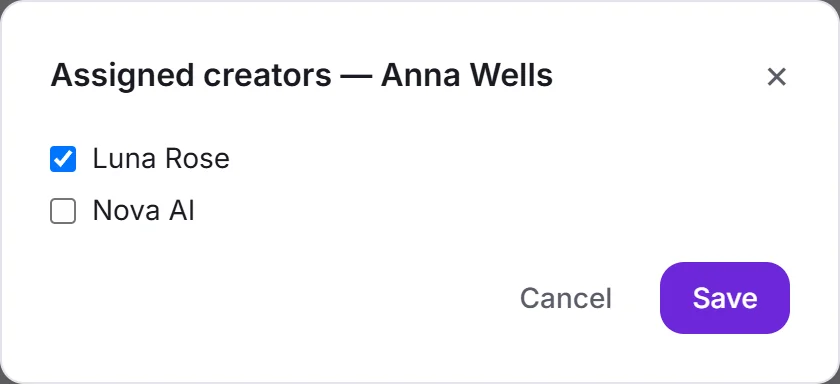 2. Assign creators
How does a shift handover work?
On most teams the handover is a chat message: “Marcus wants the custom on Friday, Liam’s sub runs out, don’t push Jay.” Half of it is lost by the second shift. In Sufflera the handover is the fan’s card (what is on it), and it is written as the shift goes, not at the end.
- During the shift, log what happens. A purchase goes on the fan’s card, a promise with a date becomes a follow-up, and anything the AI must respect goes into Instructions for the AI.
- At the start of the next shift, open the Operator queue. Everything due across your creators is there, overdue first, with Open, Mark done and Postpone to tomorrow.
- Open the chat. The panel shows the fan’s card next to it, and the draft is written from the same card, so the reply already knows what the last chatter knew.
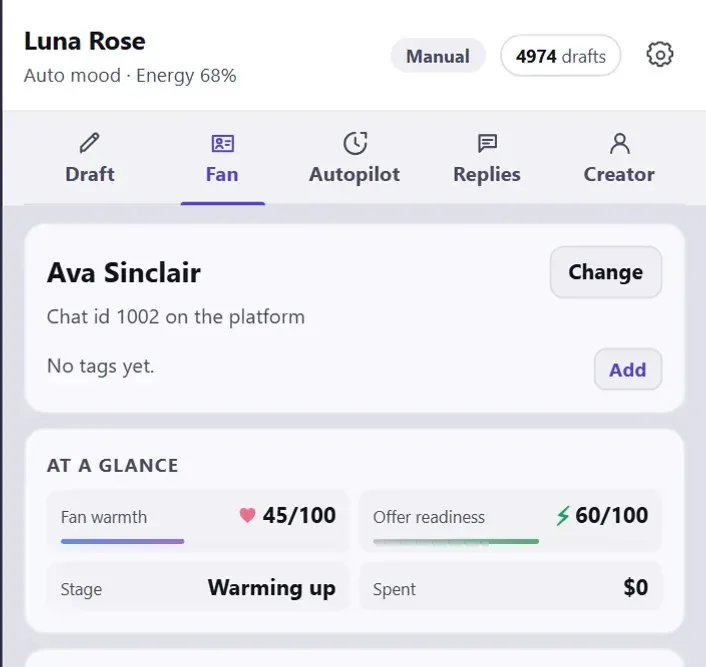 What the next chatter sees
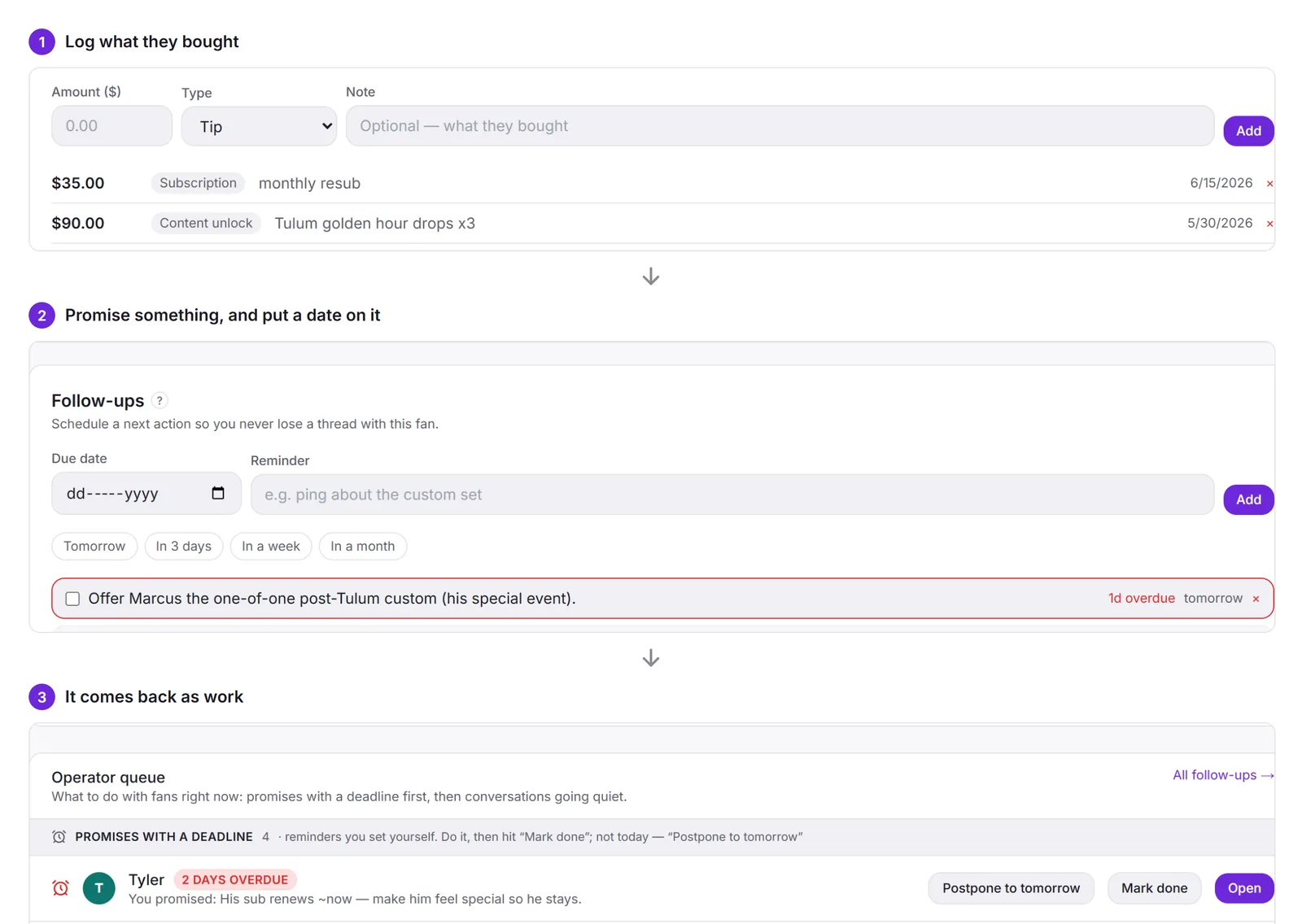 How a promise comes back
The chat history does not depend on anyone remembering to save it: the panel stores the messages of every chat it reads, whoever sent them.
Who did what?
Two records answer that question:
- Draft attribution. Every draft records who generated it. When more than one person is generating drafts, Analytics shows drafts per teammate for the month.
- Activity log (Settings → Activity). Sign-ins, deletions, billing and subscription changes, and autopilot events, each with who, what, when and from where.
The activity log is a permission of its own (audit.view). Owner and Admin have it; Manager, Chatter and Accountant do not, unless you add it to their role.
When someone leaves, deactivate them rather than deleting them. They lose access everywhere, extension included. The record of what they did stays.
Recommended structure by team size
| Team | Structure |
|---|---|
| Just you | Owner only. Nothing to set up |
| 2–5 people | Owner, one or two Managers, the rest Chatters on assigned access |
| 5–25 people | Owner, an Admin who runs operations, Managers per group of creators, Chatters, one Accountant. Review assignments monthly |
| Several brands that must not share data | A separate account per brand. Accounts are fully isolated from each other |
Team size is not what you pay for. You pay for creators and drafts, and there is no charge per seat. There is a technical ceiling per account to stop abuse; if you get near it, support will raise it.