
Short answer
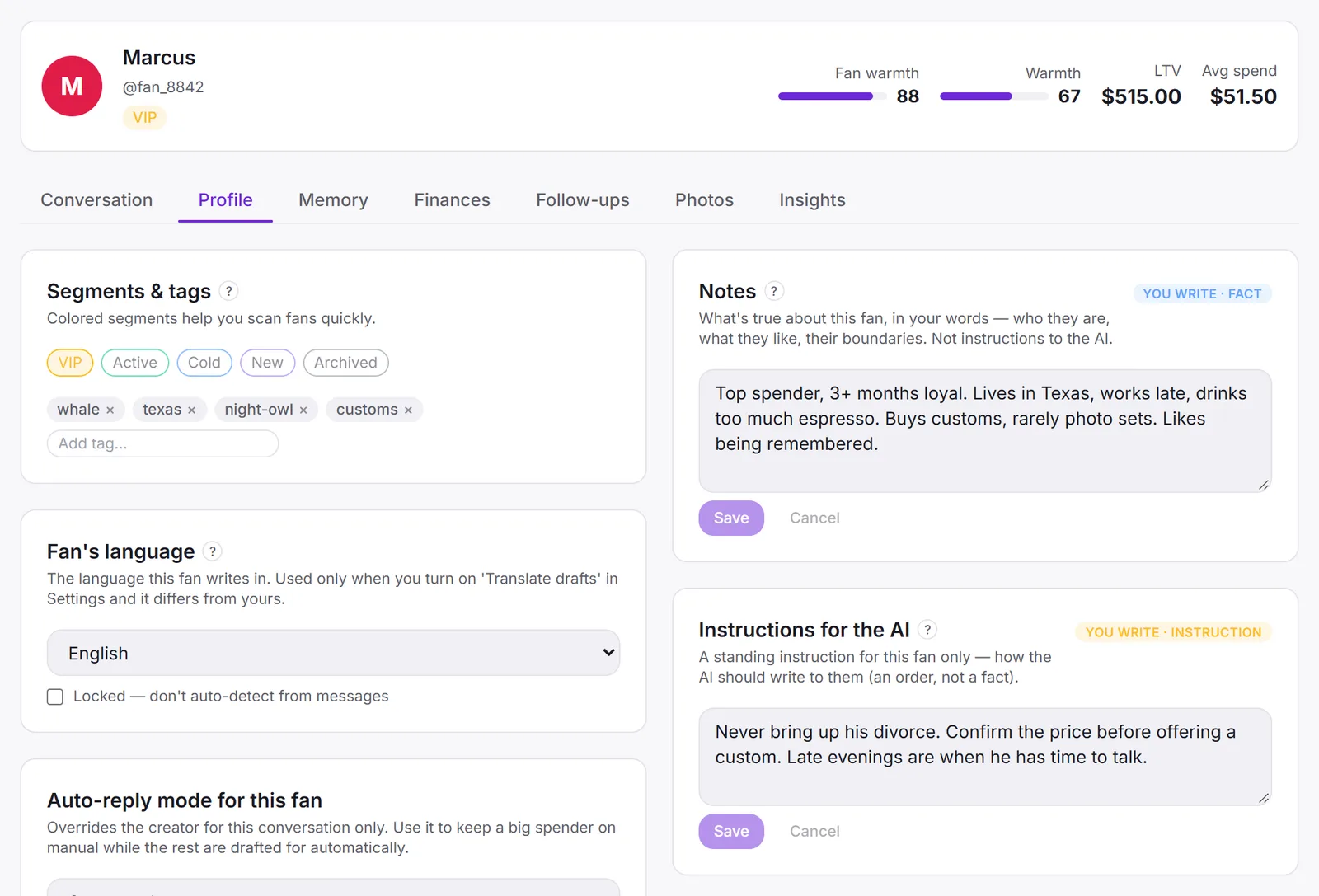
In Sufflera every fan has one card: who he is, your notes, standing instructions for the AI, a memory of what he has told you, everything he has bought, follow-ups with dates, and tags. The card is filled as you chat, and every draft for him is written from it, so a new chatter starts where the last one stopped.
What is on a fan’s card?
The top line is the summary you read before answering: his name and handle, his segment, how warm the creator is towards him, his lifetime value and his average purchase. Under it are tabs, each holding one kind of record:
| Tab | What it holds |
|---|---|
| Conversation | The chat history, saved from the platform as you work |
| Profile | Tags, language, reply mode, your notes and instructions for the AI |
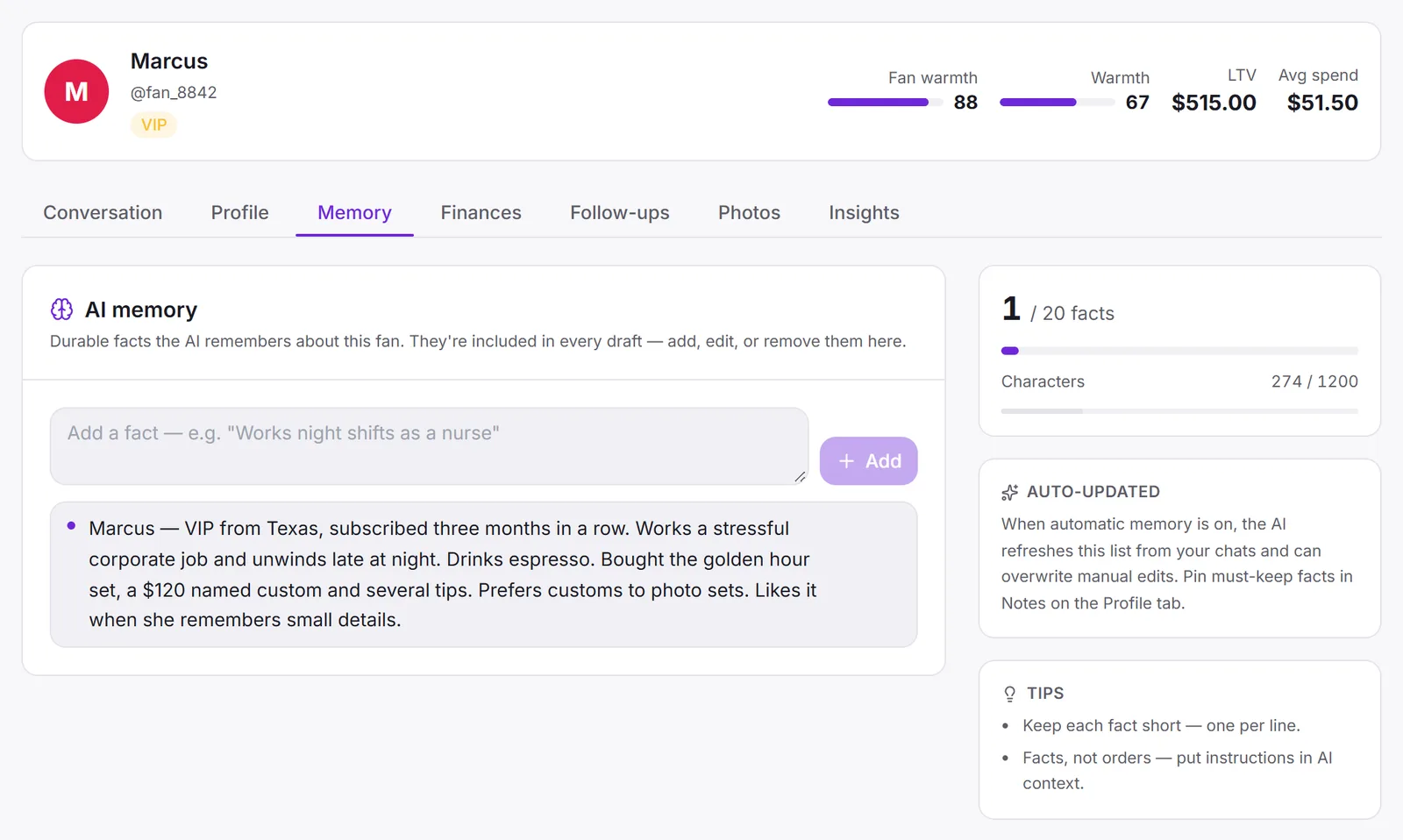
| Memory | The facts he has shared, kept up to date by the platform |
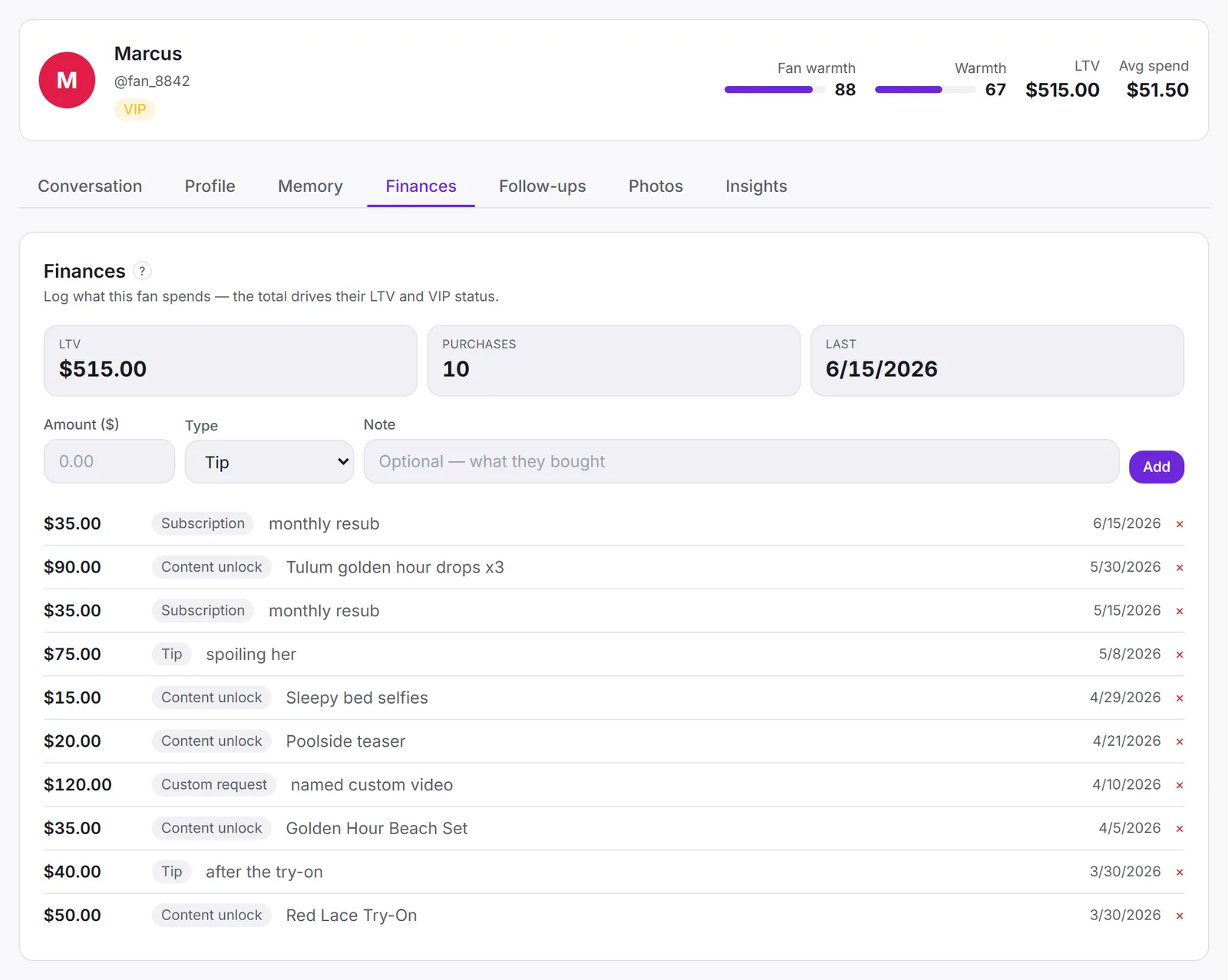
| Finances | Every tip, unlock, subscription and custom, with totals |
| Follow-ups | Reminders with a due date |
A fan’s card is created the first time his chat is opened with the side panel. Nobody types him in.
Three text fields, and why they are separate
Three fields hold written words about a fan. They look alike and do different jobs, and mixing them up is the most common mistake.
| Field | Who writes it | What goes in |
|---|---|---|
| Notes | Your team | Facts in your words: “works nights, only free after 11” |
| Instructions for the AI | Your team | Orders for this fan: “never bring up his divorce” |
| AI memory | The platform | What he has told you, collected from the chat |
All three go into every draft. Notes are background the reply is written from; instructions are rules it is written within, and they win over anything else on the card. The platform never edits the first two.
Purchases and lifetime value
Each purchase is a line: amount, type (tip, content unlock, subscription or custom) and an optional note on what it was. Above the list are the totals: lifetime value, how many purchases, and the date of the last one.
Lifetime value is the number the rest of the system leans on. It decides the VIP segment, it sorts the fan list, and it goes into the draft, so the reply to someone who has spent $500 is not the reply to someone who has spent nothing. The list below it answers a more useful question: what does he actually buy?
Follow-ups and the re-engage list
A follow-up is a reminder on one fan with a date: “Payday Friday, offer the gym custom.” When it is due, it appears in the Operator queue on the dashboard, next to every other due reminder across all your creators, overdue first. Mark done keeps it on record; Postpone to tomorrow moves it without losing it.
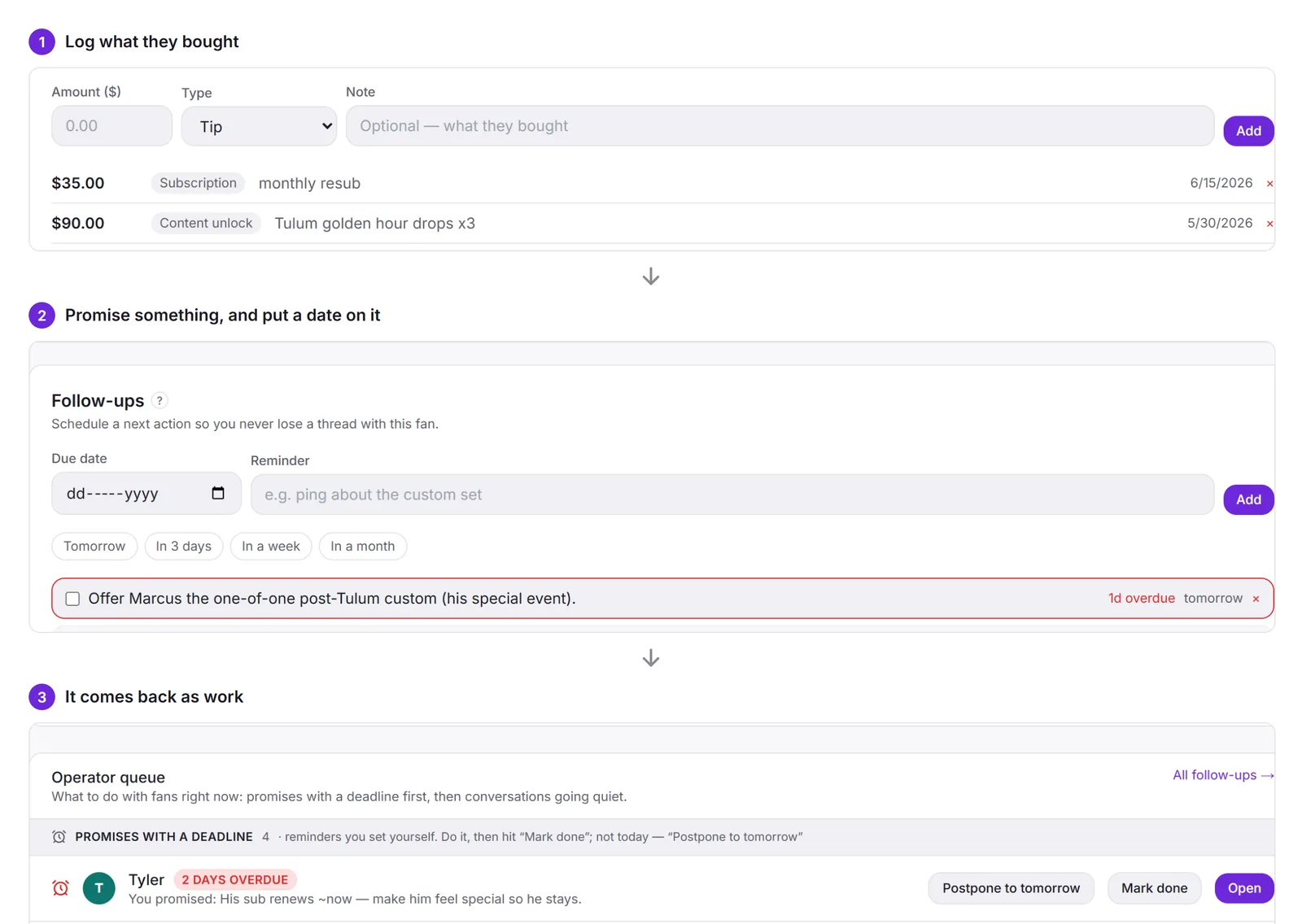
Follow-ups are for people, not for the AI: a reminder does not go into the draft. On a team, this queue is also how one shift hands over to the next (running a chatting team). The Re-engage fans card on the dashboard covers the other half, fans who have gone quiet for two weeks or more, longest silence first, with what each one has spent.
Segments and tags
The fan list shows every fan with his creator, reply mode, tags, lifetime value, message count and last activity. Two kinds of label sit in the tags column:
- Segments the platform keeps for you, such as VIP and Cold, from spend and activity.
- Tags you add yourself: custom-buyer, tips-only, do-not-automate, winback-q3.
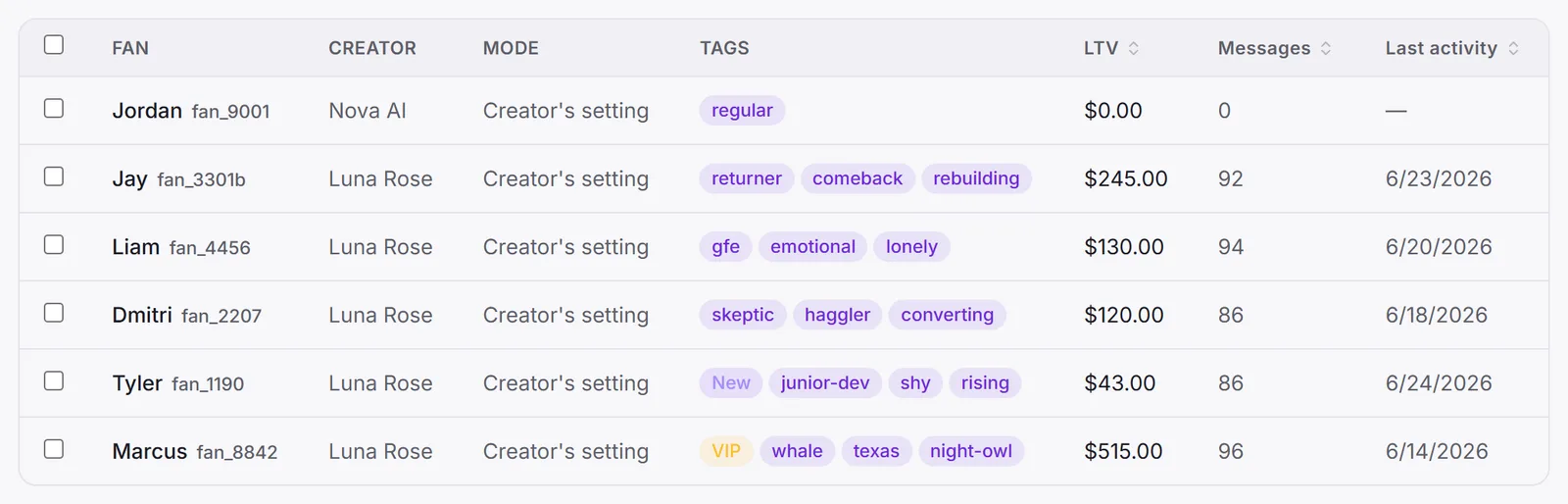
Agree on a short tag list before the team grows. Five tags everyone uses the same way beat twenty that overlap.
How the next draft uses all of it
When a draft is written for a fan, it is built from his card, not from the last few messages alone.
So a note added today changes tonight’s draft, and a purchase logged now changes how the next offer is pitched. A chatter who has never spoken to this fan gets a reply that already knows him. The rest of the recipe, and the checks every draft passes, are in how Sufflera writes a reply.
Where to start
You do not have to fill anything in to begin: the card, the chat history and the memory build themselves as you work. The two habits that pay off first are logging purchases and writing one line of Instructions for the AI for your top fans. If you have not set up yet, the five-step setup takes about ten minutes.