
Short answer
An AI-generated model needs a character that holds: a written persona, a mood that shifts through the day, small events in her life, and a weekly routine. Sufflera keeps all of it and writes every draft from it. The autopilot answers only the fans you allow and holds a reply for a person in four situations.
Why does an AI model’s chat feel scripted?
Because nothing changes. The same energy at 4 a.m. and at 4 p.m., the same three compliments, no bad days, no plans, no week. A fan does not need to know how the model is made to notice that talking to her feels like talking to a form.
A real person’s messages move with her day: tired in the morning, playful at night, short when she is busy. Sufflera models those changes and writes each draft from where she is right now.
Give her a personality that holds
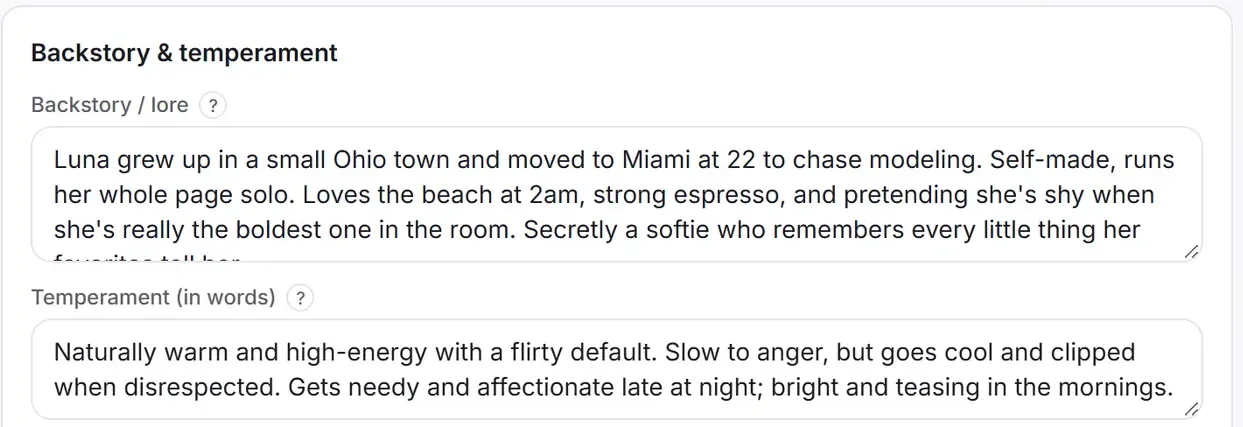
Start from a template in Creator templates and press Make a duplicate. The copy is a full persona you can edit: backstory, temperament, Tone & topics, reply length, example lines, and topics she never discusses.
Write it the way you would brief a new chatter, in plain sentences. Every draft is written from this page, so a persona that is vague produces drafts that are vague. The 14 templates show what a specific one looks like.
Moods that change on their own
Each creator has five mood values, from 0 to 100: Energy, Flirtiness, Patience, Neediness and Confidence. You set a baseline, the personality she always comes back to. Then either you move the current mood by hand, or you switch the creator to Auto and the platform moves it from her personality, goals and recent events.
On top of that runs a daily rhythm, the same for every creator unless you shift it:
A chronotype moves the whole curve: early bird two hours earlier, night owl two hours later. The rhythm runs in the creator’s time zone, so set it to where she is supposed to live, or she will sound sleepy at lunch.
A weekly routine adds the rest of a life: “At work, Monday to Friday, 9–6” makes replies shorter and lets her say she is busy; “Weekends free” gives her more energy. Quiet hours (by default 11 p.m. to 8 a.m.) keep automatic sending out of her night. A person can still answer at any hour.
Things happen to her
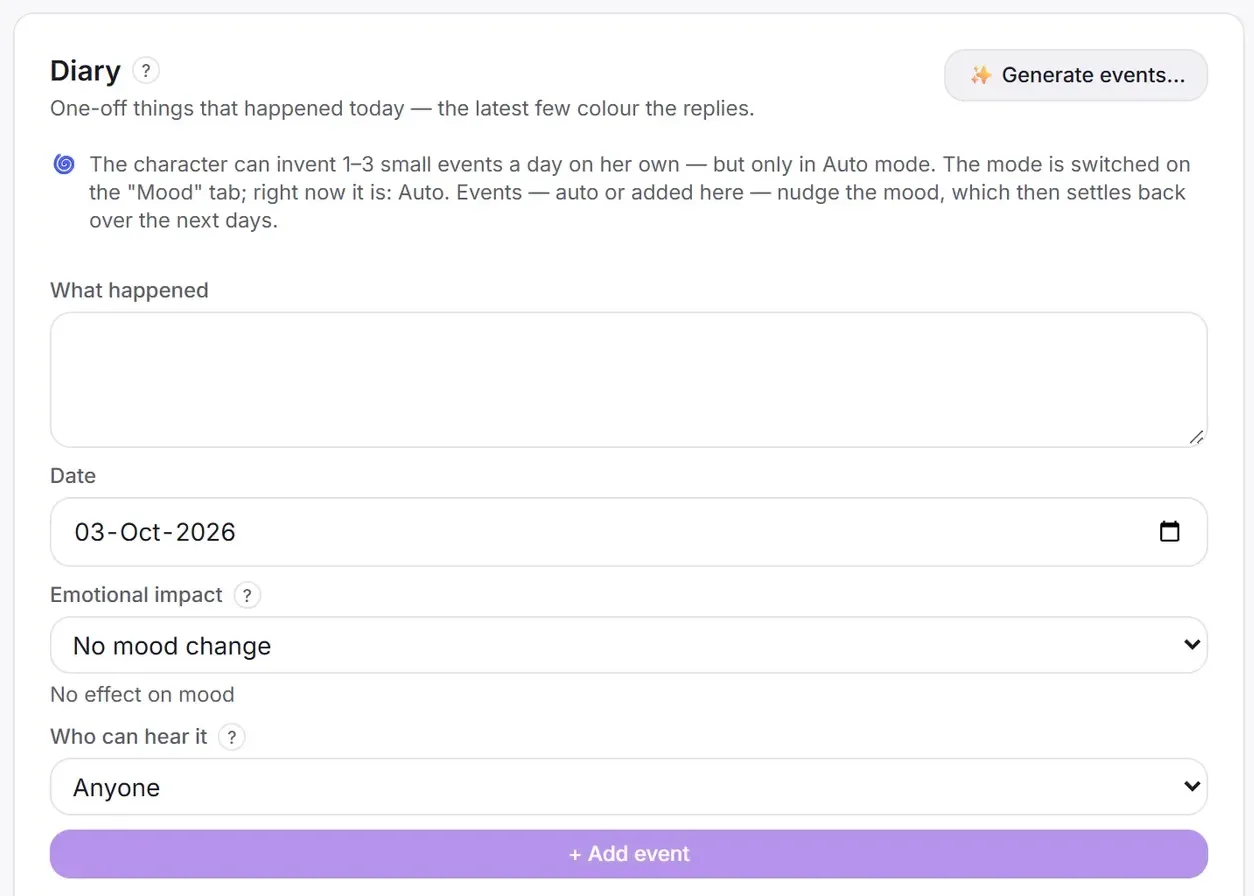
A life event is something that happened today: a shoot that ran late, a new tattoo, rain on the beach day. The latest few colour her replies, and each one can nudge her mood, which then settles back over the following days. In Auto mode she can invent one to three small events a day on her own.
Each event says who may hear about it: Anyone, Closer fans, or VIP fans only. One life, told differently depending on how close the fan is.
Goals are the long arcs: saving for a trip, finishing a course. They give conversations something to come back to week after week. For something meant for one fan only, write it into that fan’s Instructions for the AI.
What the autopilot does, and where it stops
The autopilot runs in the side panel, in one browser tab, and only after someone presses Start. It acts on one condition: the last message in the chat is from the fan. Then it does what that fan’s reply mode allows.
| Reply mode | What the autopilot does |
|---|---|
| Manual | Nothing. The fan is left to a person |
| Draft only | Writes the reply and leaves it for a person to send |
| Draft and send | Writes the reply and sends it, after a short countdown you can cancel |
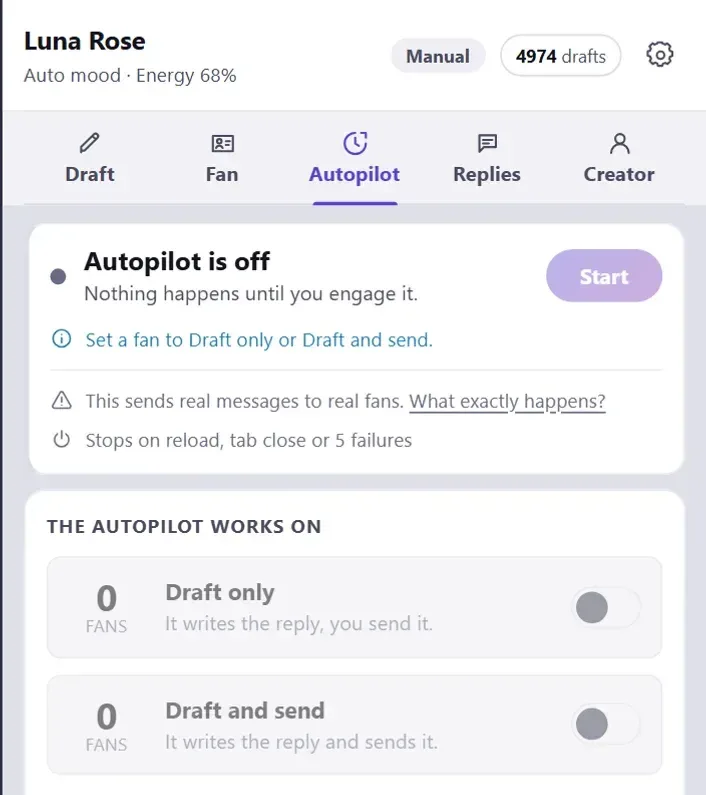
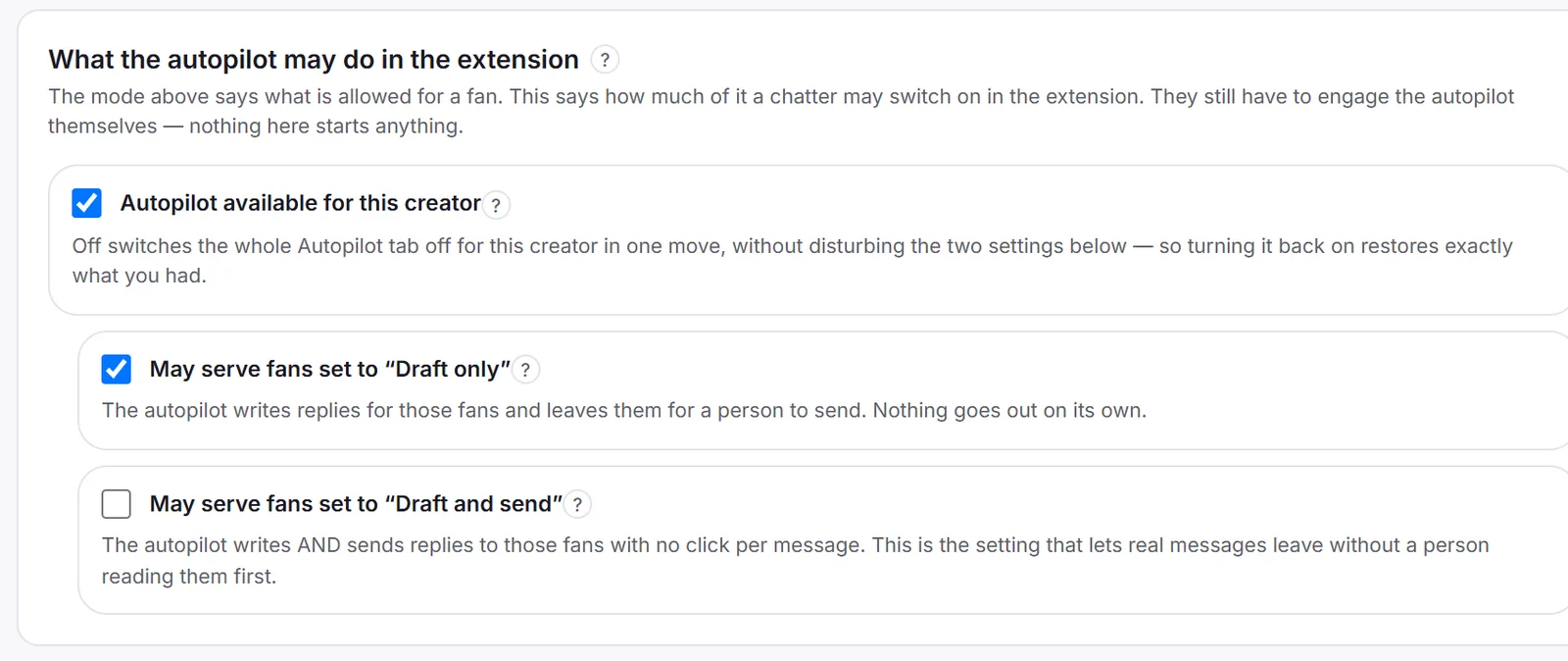
Four settings stand between a draft and a sent message, and all four must agree: the fan’s reply mode, a manager allowing Draft and send for this creator, the switch for that group of fans in the panel, and Start. Even then, a reply is held for a person when:
| The fan… | Held because |
|---|---|
| may be in crisis | That needs a human, not a persona |
| is complaining | Complaints are handled by people |
| keeps pushing a banned topic | The persona’s limits are not negotiable |
| writes in the middle of her night | Quiet hours |
All four are on by default, and every reply also passes the same checks as a draft written by hand. On top of them: at most 20 automatic messages an hour, a chat where the creator has never replied is skipped, and the autopilot switches itself off after repeated failures, on a page reload or when the tab closes. A Stop button ends it at once; the emergency stop in the creator’s settings ends automatic sending for that creator for everyone.
A safe rollout
- Tune the persona on real chats. Generate drafts by hand for a week, fix the persona until they need little editing.
- Lock on one fan, Draft only. Start the autopilot on one fan. Nothing is sent; you read what it would have written.
- Lock on one fan, Draft and send. Pick a low-risk fan, watch every message go out, keep the Stop button in reach.
- All fans in the list, Draft only. Let it work the list and leave the drafts for your team.
- Widen Draft and send slowly. Fan by fan, and read the autopilot’s log every day for the first two weeks.
The autopilot is a browser feature that clicks the platform’s Send button for you, and a platform can technically tell that click from a person’s. That is one more reason to start with drafts, and to check your platform’s rules before you let it send. More on what runs where: why Sufflera works in your browser.