
Short answer
Sufflera has no plans. You set two numbers, creators and drafts per month, and the price follows from them. One creator with 100 drafts costs $0. One creator with 1,000 drafts is $50 a month, five creators with 5,000 drafts $794, twenty with 20,000 drafts $3,192.50. Every feature is included at every price.
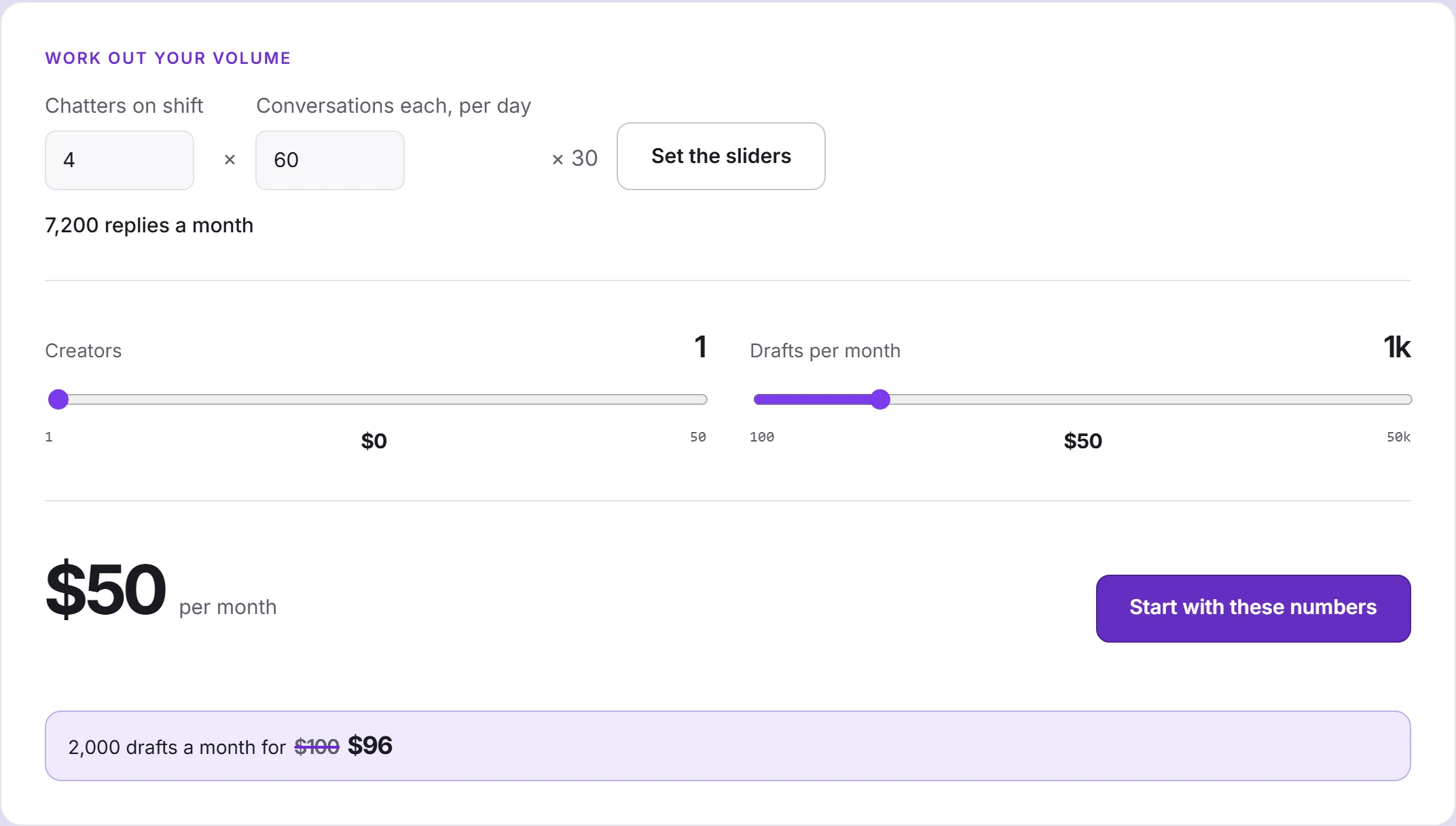
How is the price built?
Two sliders, added together:
- Creators. The first one is included. Every creator after it costs $150 a month, falling to $120 as you add more.
- Drafts per month. The first 100 are free. Above that, you pay for all of them from the first: 5¢ a draft, falling step by step to 2.5¢ at high volume.
There is no base fee, no per-seat charge and no minimum. The volume discount works like tax bands: a cheaper rate applies only to the drafts or creators inside its band, so moving a slider up never makes the bill smaller.
Examples
| Who | Creators | Drafts a month | Price a month |
|---|---|---|---|
| Trying it out | 1 | 100 | $0 |
| A creator who chats herself | 1 | 1,000 | $50 |
| A small agency | 5 | 5,000 | $794 |
| A large agency | 20 | 20,000 | $3,192.50 |
The small agency pays $575 for creators (four above the included one) and $219 for drafts. The large one pays $2,496 for creators and $696.50 for drafts, about 3.5¢ a draft.
To pick a drafts number, count replies, not fans: people on shift × conversations each per day × 30. Four chatters answering sixty conversations a day is about 7,200 a month. The calculator does that sum for you.
What counts as a draft?
Every press of Generate is one draft, and so is every draft the autopilot writes. One generation costs one draft, however many internal checks and retries it takes. If a generation fails completely, the draft is returned.
The drafts counter fills at each renewal and empties at the next one; drafts do not roll over. Confirming your email adds a one-off bonus to the first month.
Changing your numbers mid-period
- Going up takes effect at once. You pay the difference between the new monthly price and the old one, not a new month, and your renewal date stays where it was. The extra drafts are added to what you have left.
- Going down takes effect at the next renewal. Nothing is refunded; you keep what you paid for until then.
- Cancelling keeps full access to the end of the paid period, then the account drops to the free setting and keeps working.
Why the slider beats draft packs
If a month runs out early, you can buy a one-off pack of 100 to 5,000 drafts. Packs cost 6¢ a draft and expire at your next renewal, while the slider starts at 5¢ and goes down. A pack gets you through one unusual month; if you need more every month, move the slider.
How you pay
The subscription is paid from a prepaid balance. You top it up in Settings → Billing with USDT on the TRON network; the invoice states the asset, the network and the exact amount, and is valid for an hour. Each month the price is taken from the balance on the same date.
If the balance is short at renewal, you have three days of full access to top it up; after that the subscription pauses until you do. Your data is never deleted because of billing.
Your team size is not part of the price. Invite everyone the work needs; you pay for creators and drafts.
If someone signs up with your invite link, they get 20% off their first paid month and you get 20% of their price on your balance: the referral programme.