
Short answer
Most sales lost in fan chats come down to five things: replies that come too late, facts nobody remembers, a voice that changes with the chatter, promises that are never followed up, and the same message sent to everyone. Each one has a fix that does not depend on someone's memory or a good shift.
| Problem | What the fan notices | The fix |
|---|---|---|
| Slow replies | He wrote an hour ago and has moved on | A draft next to the chat in seconds |
| Lost history | You ask about something he already told you | A memory of his facts in every draft |
| A changing voice | “She” sounds different at night | One persona, written down once |
| Forgotten promises | The custom you mentioned never comes up again | A reminder with a date, in a queue |
| Copy-paste messages | He gets the same text as everyone else | Every draft starts from his own history |
Replies take too long
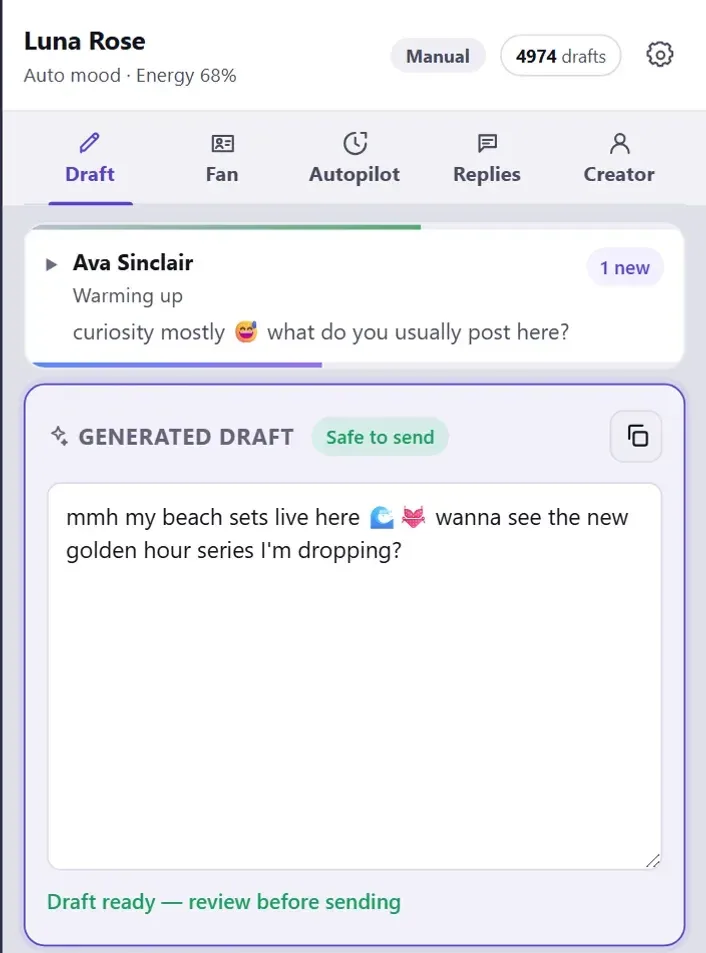
A fan who is in the mood now is not in the mood an hour later. On a busy evening the delay is rarely the typing. It is reading back through the chat to work out who he is and what was said last.
Sufflera puts that context next to the chat and writes the reply from it. In Manual mode a person presses Generate and gets a draft in the panel. In Draft only mode, with the autopilot started in that browser tab, the draft is already written when the chat is opened, and a person still reads it and sends it.
| Mode | When the draft appears | Who sends it |
|---|---|---|
| Manual | When someone presses Generate | A person |
| Draft only | When the last message in the chat is his, while the autopilot runs | A person |
Every new creator starts on Manual. Nothing is written or sent on its own until someone changes that and starts the autopilot.
Nobody remembers what the fan said
He mentioned his dog, his night shifts and that he only buys customs. Three months and two chatters later, that is gone, and asking again tells him nobody was listening.
Each fan has an AI memory: a short list of lasting facts taken from his own conversation, updated as the chat goes on. Small talk is dropped; things that will still be true next month stay. It is shown on his profile and in the panel, and it goes into every draft.
Everything else on the fan’s card is in how to keep every fan’s history in one place.
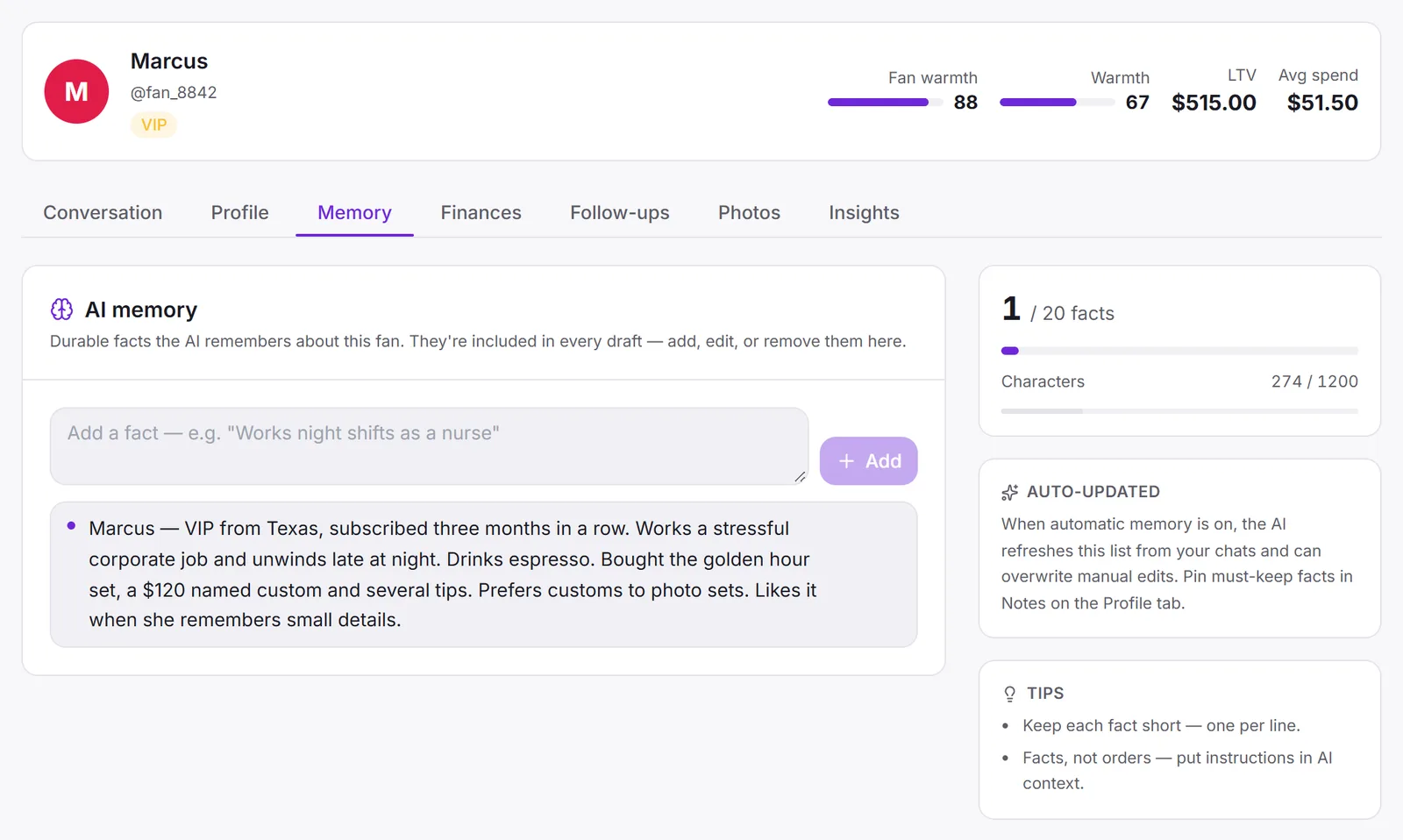
Without the memory
Weak
- Fanfinally off work, long night
- Draftaww what do you do for work? 🥰
With it
Better
- Fanfinally off work, long night
- Draftanother night shift? you need a proper sleep. did Bear at least wait up for you? 🐶
The voice changes between chatters
Fans notice when the creator they talk to at noon types differently from the one at midnight. Shorter messages, different emoji, suddenly formal. It feels like someone else took over, because someone did.
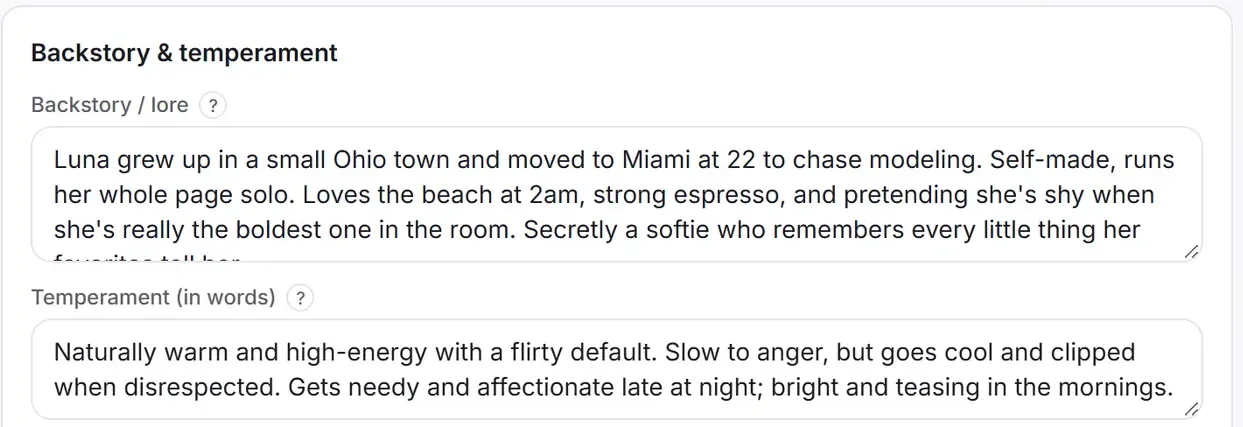
The fix is to write the voice down once, in the creator’s persona: backstory, temperament, Tone & topics, reply length and a few example lines. Every draft is written from it, whoever is on shift. Changing the voice later means editing one page, not retraining a team. The 14 ready-made personas are a quick start.
Promises get forgotten
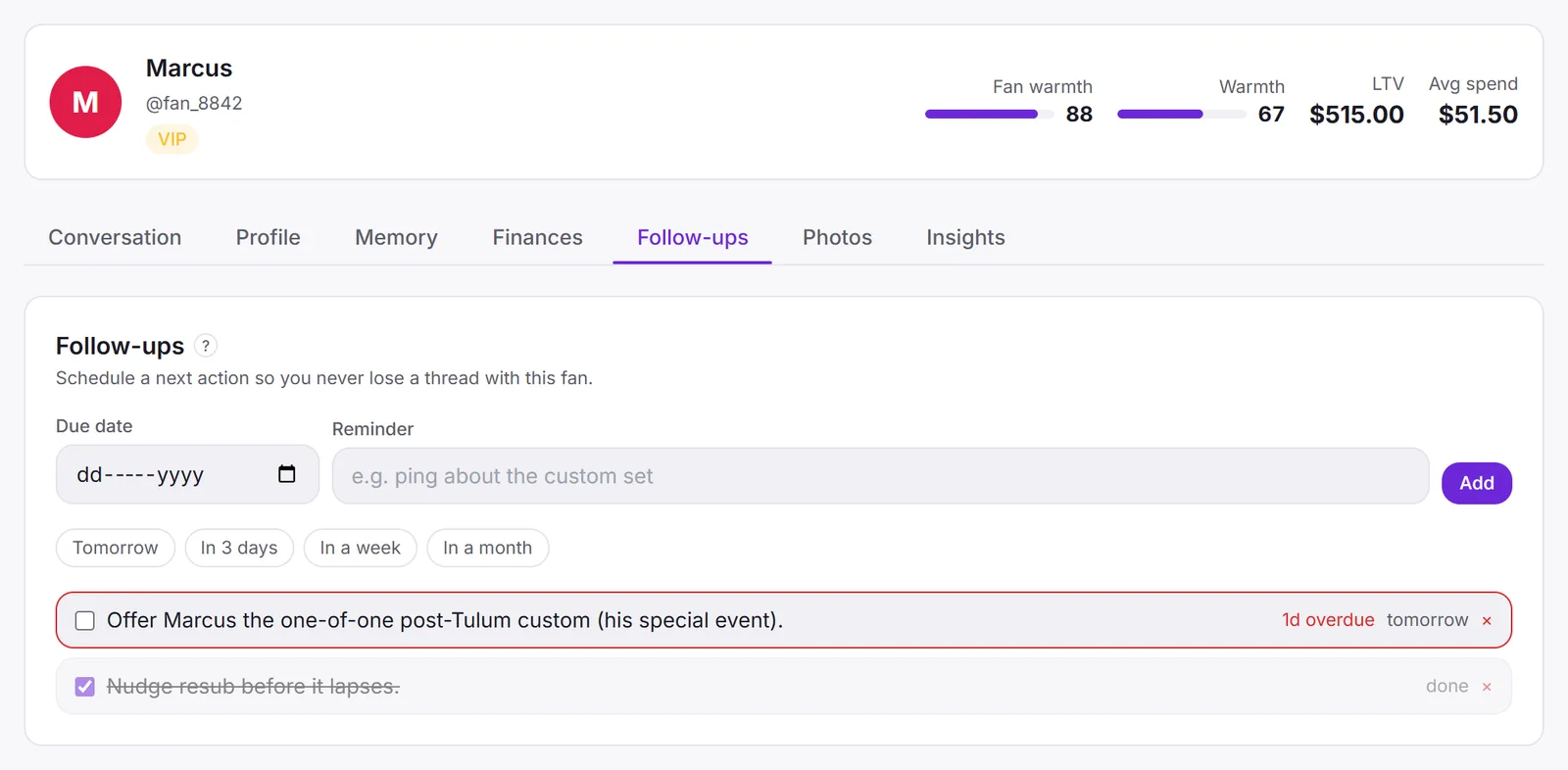
“Let me think about it, payday is Friday.” That is a sale, if someone writes to him on Friday. Usually nobody does, because the chat scrolled away.
A follow-up is a reminder on one fan with a due date: “Payday Friday, offer the gym custom.” It shows up on his profile, in the panel when his chat is opened, and in the Operator queue on the dashboard, where everything due across all creators is gathered, overdue first. A daily digest email lists what is due.
Every fan gets the same message
Templates are fast, and fans compare notes, screenshot chats and remember what they were sent. The same “hey babe, I’ve been thinking about you” to two hundred people reads exactly like what it is.
A Sufflera draft starts from one fan: his memory, what he has bought and how much, where the conversation is, your notes on him, and his last messages. Two fans who write the same words get different replies, because they are different people.
One text for everyone
Weak
- Fanwhat are you up to tonight?
- Draftjust relaxing and thinking about you 😘 want to see something special?
A reply for him
Better
- Fanwhat are you up to tonight?
- Draftediting the set you asked about last week actually 👀 the blue one. still want first look?
Where to start
If you are new to Sufflera, the five-step setup gets you to the first draft in about ten minutes. If you write to fans yourself and are just starting, how to talk to fans covers the habits behind all five fixes. Memory and follow-ups need nothing extra: the memory builds itself from the conversation, and a follow-up is one line on the fan’s profile.